Overview
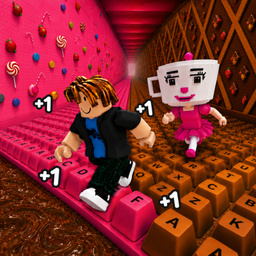
Welcome to the creative arcade "Obby: Paint My Keyboard"!
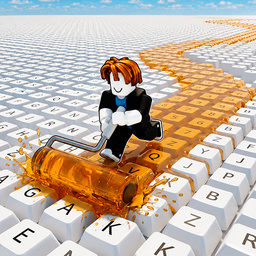
Your goal is to build the biggest and most colorful keyboard in the world! Paint keys, earn coins, and upgrade your equipment.
🖌️ Paint Keys — color keyboard keys with bright paints! Each painted key brings you profit.
💵 Collect Coins — painted keys automatically generate coins! The more keys you paint, the more you earn.
🌈 Unlock New Paints — start with simple colors and gradually unlock bright, neon, and exclusive shades! Make your keyboard unique.
🚀 Upgrade Tools — level up painting speed and work efficiency! The higher the level, the more keys you can paint at once.
⌨️ Expand Your Keyboard — buy new rows and sections, increasing your keyboard size to incredible scales!
Can YOU build the keyboard of your dreams? Start painting right now!
11,813 players online
How to play
-
Open the game
Press Play now and the game opens on its own screen.
-
Follow the in-game instructions
The controls and goals are shown inside the game as you play.
-
Use the game menu
The floating button over the game reloads it, saves it to your favourites, or takes you back out.